Easiest Way to Download Pinterest Videos in 2026 (No Limits)
Pinterest has no download button. Here is the exact workflow I use to save videos, images and GIFs in original quality, with no daily caps and no watermark.


Key takeaways
- Pinterest has no built-in download button, so saving a video needs a dedicated tool.
- Screen-recording is the worst option: it degrades quality and usually misses the first seconds.
- The workflow is the same on desktop and mobile: copy the pin link, paste it, download.
- No account, no software and no daily cap. The tool is browser-based and free.
Let me guess… you landed here because you want to download a Pinterest video, image, or GIF, right?
Probably you saw something amazing on Pinterest, maybe a DIY project, a mouth-watering recipe, or a perfect workout routine, and wondered how to save it in the best quality.
Because by default Pinterest doesn't let its users save videos. You can't move that video onto your local device, so you can't watch it offline, share it directly with a friend on WhatsApp, or keep it forever without worrying about it being deleted.
But don't worry, you're in the right place. Here you can grab anything from Pinterest, in full quality, with no daily cap, and it costs nothing.
For years this was a frustrating process: clunky browser extensions, complicated software, or online downloaders that hit you with a "Daily Limit Reached" message after one or two downloads.
In 2026 the game has changed. As a professional web designer and content creator who downloads dozens of Pinterest videos every week for research and inspiration, I built a tool that does the job reliably, without a cap and without a bill.
Why Pinterest Doesn't Allow Video Downloading (And Why You Need a Tool)
It's important to understand that Pinterest, like most social platforms, has no built-in "download video" button for a reason: they want to keep engagement on their platform. It's about content ownership, traffic and their ecosystem.
Trying to screen-record a video usually gives you poor quality, your finger in the frame, or the first few seconds missing. This is exactly where a dedicated Pinterest video downloader becomes non-negotiable.
A good downloader should do three things:
- Bypass the platform's restrictions.
- Keep the original high quality, so HD or even 4K if the creator uploaded it.
- Save the video without an annoying watermark plastered on top.
After testing virtually every tool on the internet, I built one that consistently stood out for its simplicity and its power.
Why Use PintDownloader.com?
For my workflow, PintDownloader.com has been an absolute game-changer. It's a web-based tool, which means there's nothing to install: no software, no app, no browser extension. You can use it on any device, anywhere, as long as you have an internet connection.
Here's what makes it the easiest solution in 2026:
Unlike many other sites, PintDownloader doesn't impose frustrating daily caps. Need to download one video, or one hundred? Go for it.
The download process takes seconds. Copy, paste, and you're done.
It fetches the highest quality version available from Pinterest, with no re-encoding and no downgrade.
The downloaded video is clean, exactly as the pinner intended it to be.
The core service is completely free of charge. No account, no hidden tiers.
How to Download Pinterest Videos (No Limits, No Watermark)
Using PintDownloader is so simple it feels like magic. Here's my exact process, whether I'm on a desktop or on my phone.
On Desktop (Windows & Mac)
Find your video
Open Pinterest in your web browser and navigate to the video pin you want to download.
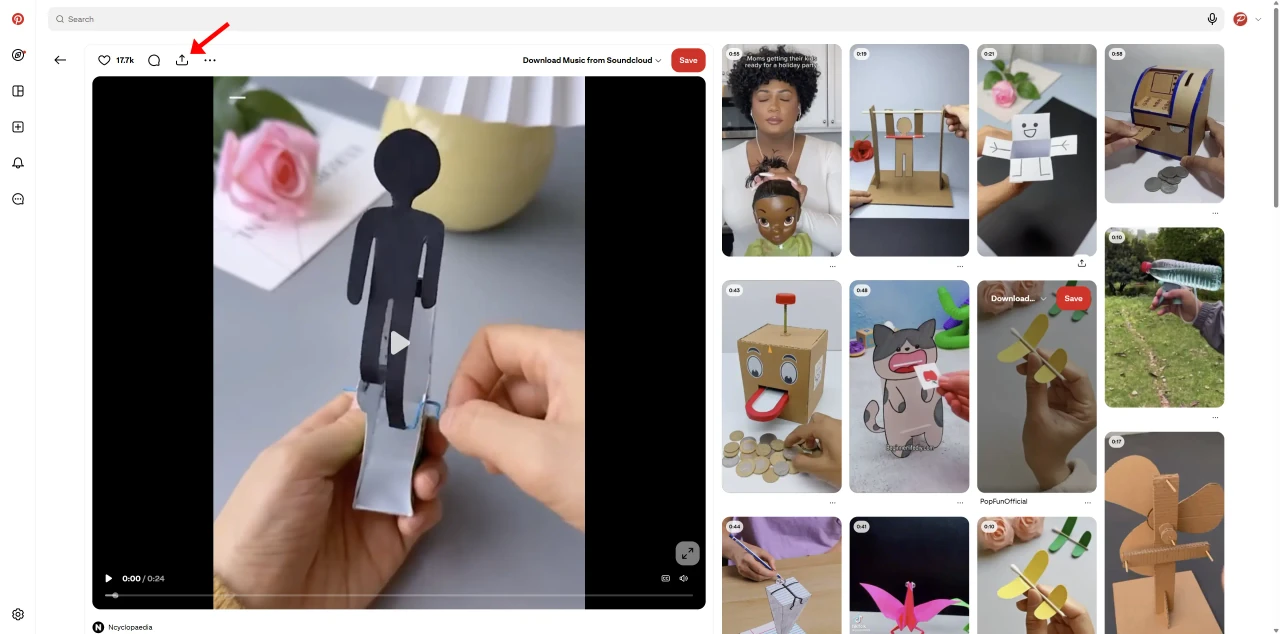
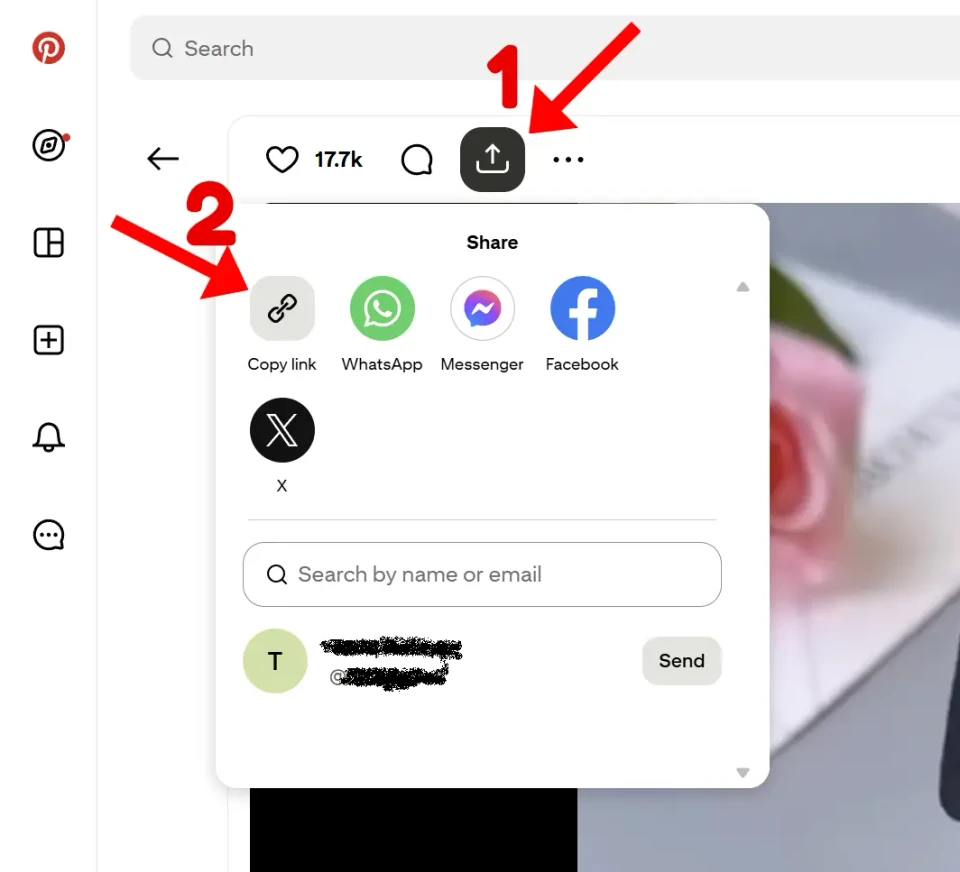
Copy the link
Click the share icon and a popup will appear. Now click the chain icon to copy the link.
Open PintDownloader
Open a new browser tab and go to pintdownloader.com. No sign-up, no extension, nothing to install.
Paste and go
You will see a search bar. Paste the Pinterest video link you just copied into that field.
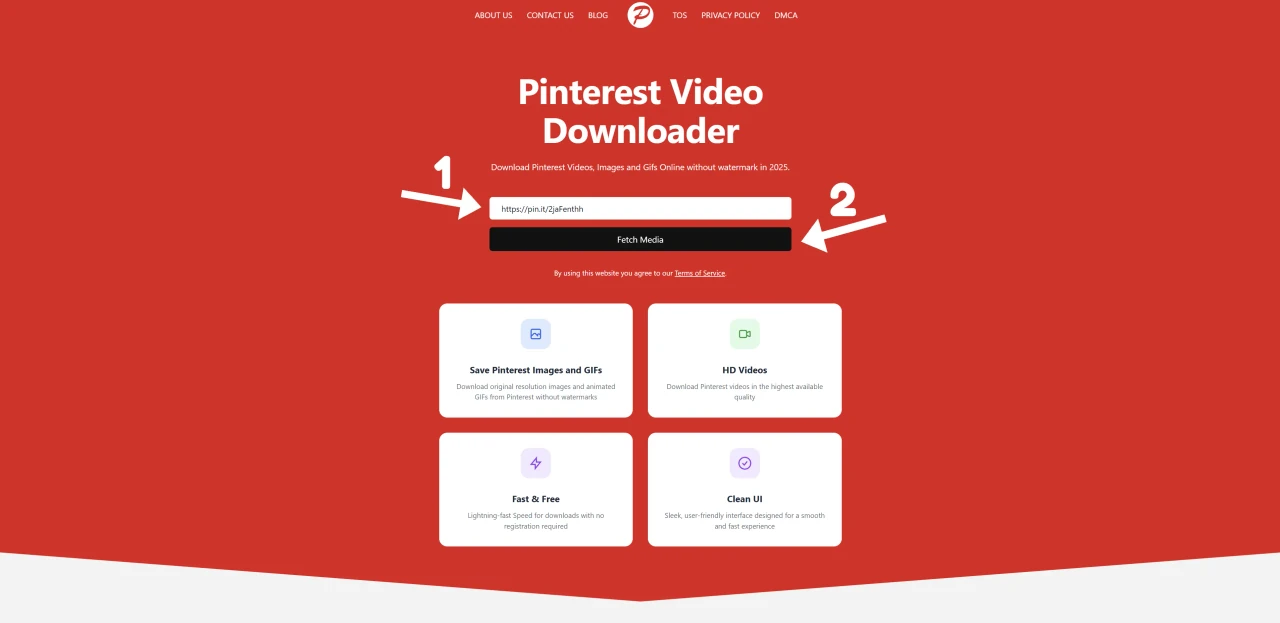
Fetch the media
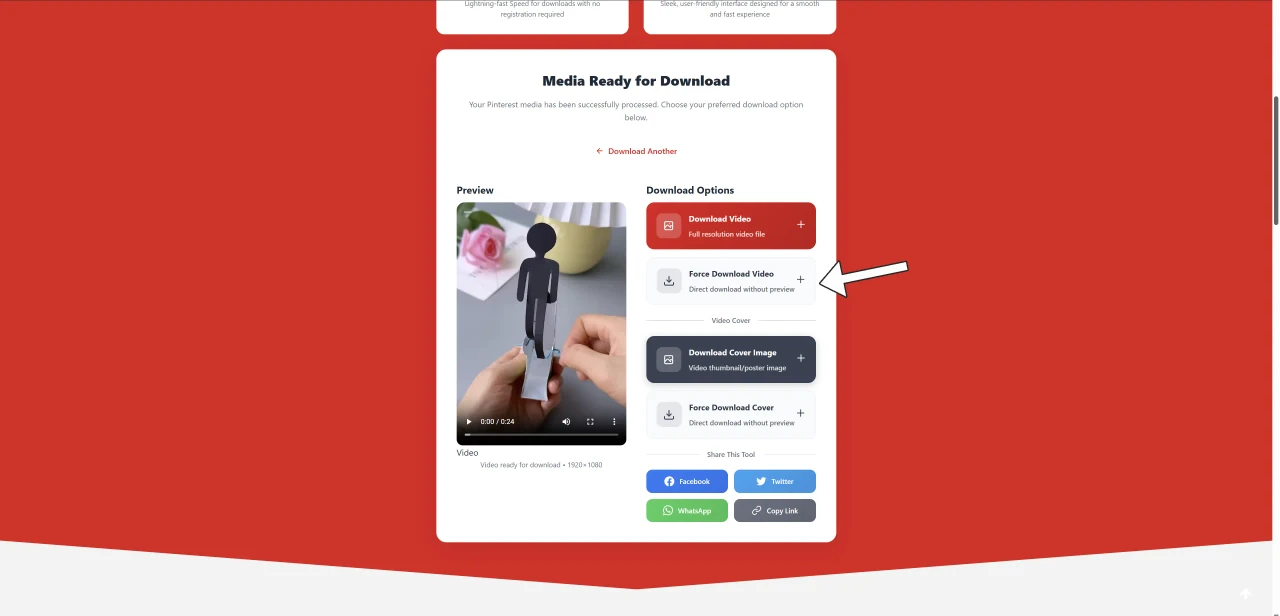
Click Fetch Media. The tool takes a few seconds to read the pin and then presents you with the download button.
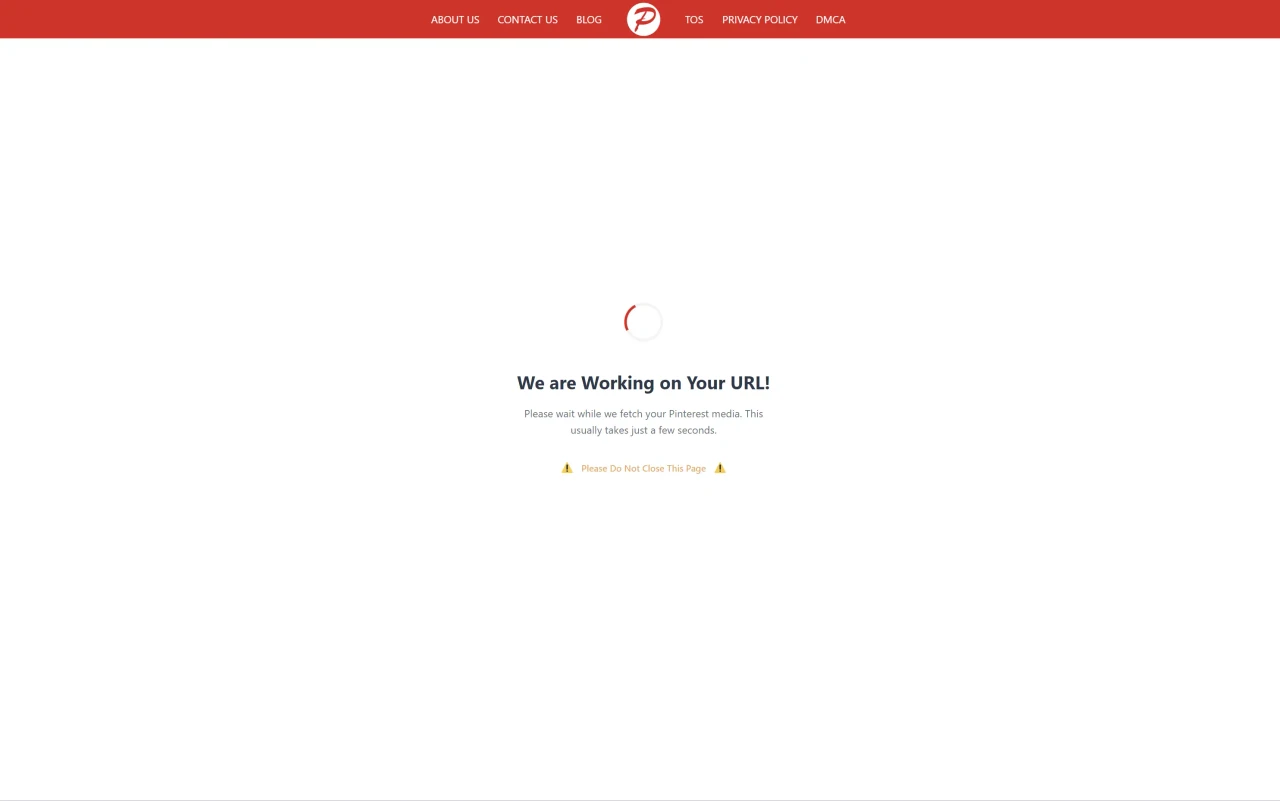
Save your video
Click Force Download Video and the file is saved directly to your computer's downloads folder as an MP4. That's it!
On Mobile (iPhone & Android)
The process is just as easy and fast on a phone, which is exactly why it works so well.
Tap the three dots
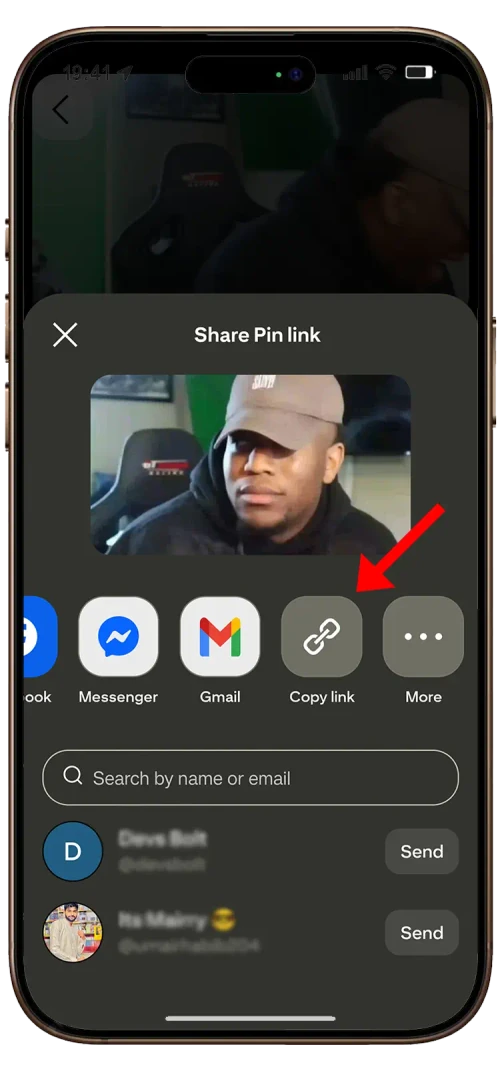
In the Pinterest app, find your video and tap the three dots (•••) in the top-right corner of the pin.
Choose "Copy link"
From the menu that appears, select Copy link. The pin URL is now on your clipboard.
Paste it and download
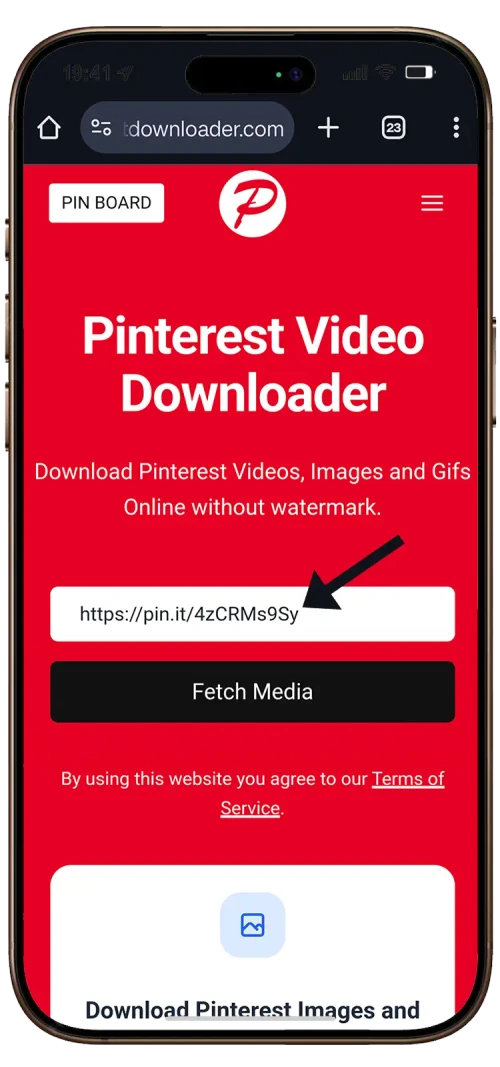
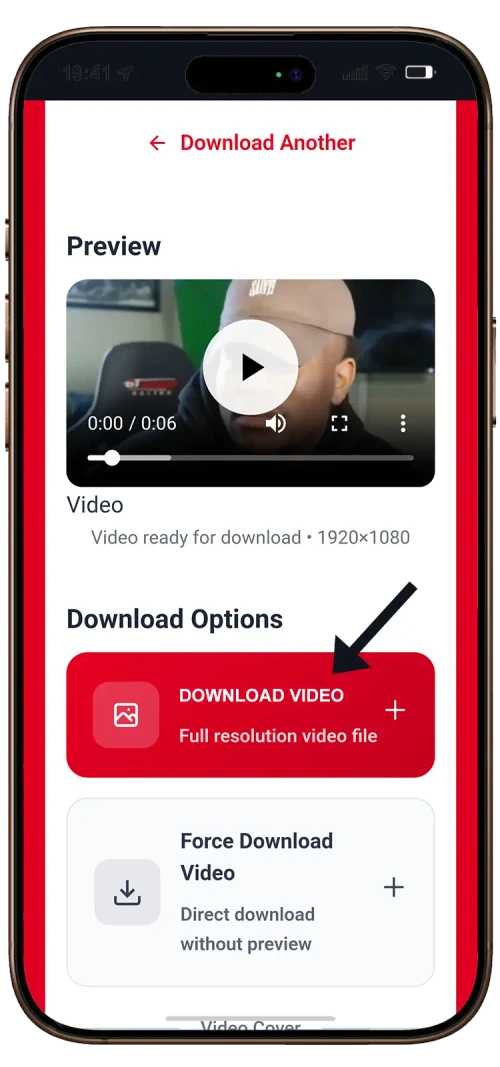
Open your mobile browser (Chrome, Safari, etc.), go to PintDownloader.com and paste the link into the box. Tap Download Video and the file goes straight to your phone's gallery.
At a Glance
| What you get | How it works |
|---|---|
| Cost | Free. No account, no payment, no upgrade prompt |
| Daily limit | None. Bursts above 20 requests per minute are throttled so one client cannot take the service down |
| Quality | The highest version Pinterest serves, so HD or 4K when available |
| Watermark | None added to your file |
| Formats | MP4 for video, original resolution for images and GIFs |
| Devices | Any browser on desktop, iOS or Android |
| Install | Nothing. No app, no extension, no account |
Final Words
That's all from my side. You now have everything you need. Go ahead, download as much as you like, and don't forget to come back whenever you need more Pinterest videos, images or GIFs saved. It stays free, and there is nothing to install.
Written by the PintDownloader editorial team. We save Pinterest media every day and build the tools we use ourselves.
Ready to Download Pinterest
Content?
Paste any pin link and save it in original quality. Free, no login and no watermark.
Start Downloading Free